MoreLogin: One Workspace Per Account
Too many store backends, client accounts, and social accounts? MoreLogin brings independent browser environments, cloud Android phones, team permissions, and automation into a single workspace — keeping your web and mobile accounts cleanly separated and manageable.
Sign up and get 2 permanent free browser environments + 100 minutes of cloud phone — no credit card required.

Security
Security
Every account runs in its own environment. Your team can share accounts without sharing passwords.
One isolated environment per account
Cookies, local storage, login state, and proxy settings are kept separate — store A and store B never mix their data.
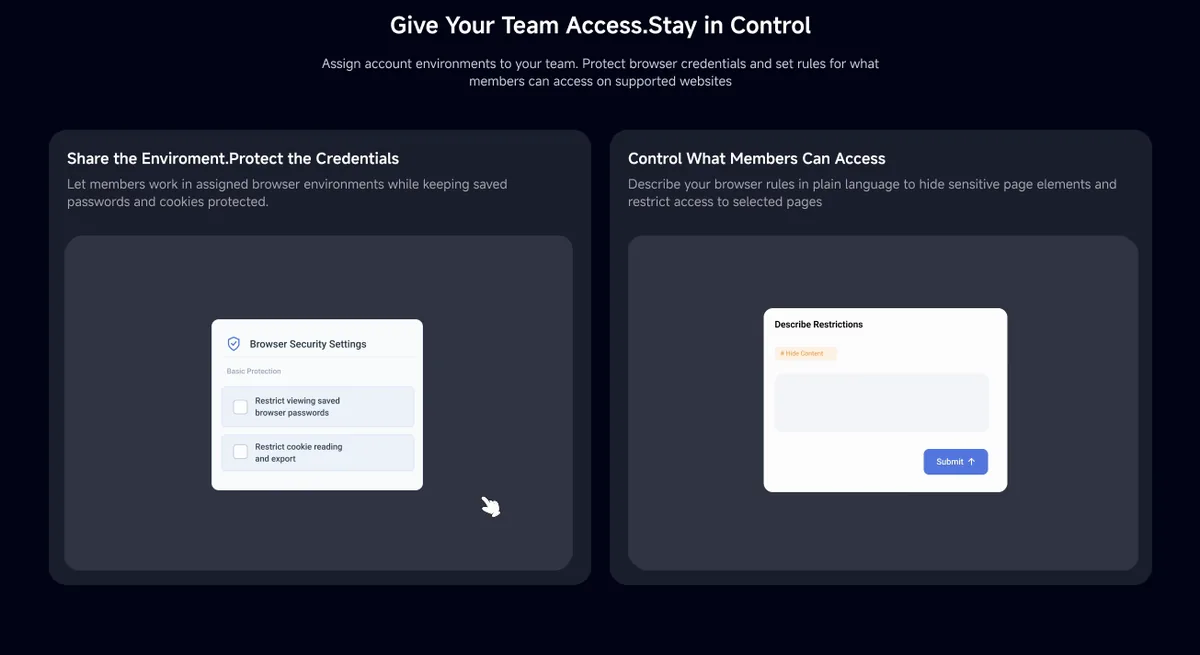
Share environments, not passwords
Assign an environment to a teammate and they can start working. Saved passwords and cookies remain protected; onboarding, offboarding, and daily handoffs no longer risk credential leaks.
Layered access control
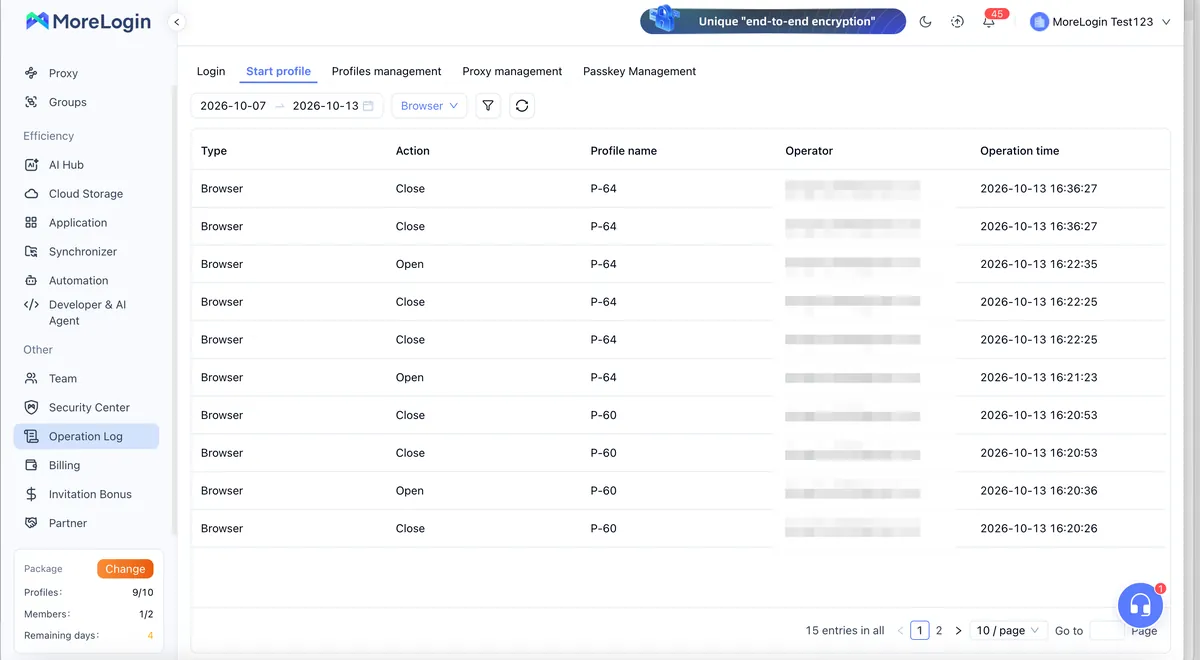
Dedicated environments, member permissions, password protection, cookie protection, web-access control, element-level restrictions, operation logs, and encrypted data handling — layer after layer of protection for every account.
Ease of Use
Ease of Use
No more logging in and out
Environments remember their login state. Reopen and you're back in the same working view — accounts stay signed in, and 2FA prompts drop significantly.
Cloud phones, no hardware required
Cloud Android phones with nothing to buy and nothing to maintain. Spin up as many as you need, from anywhere.
One action, many environments
Synchronizer mirrors actions from one window across multiple environments. No-Code RPA runs your daily repetitive flows without any coding.
AI Integration
AI Integration
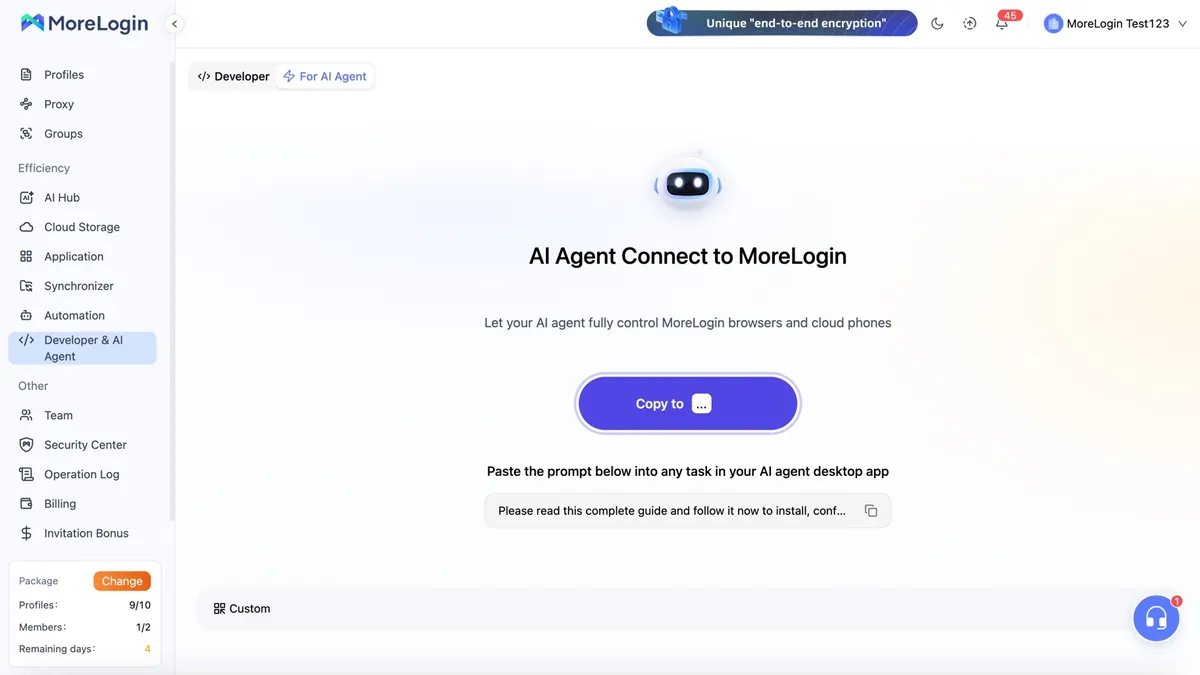
Connect your AI agent via MCP, CLI, or Agent Skills. A simple prompt like "open environment P-1" and MoreLogin does it — in the right browser or cloud phone.
Plug into your AI tools
Use the built-in Commander, or paste the connection prompt into Codex, Claude Code, Cursor, or your own agent. Every action the agent takes respects the account's permission scope.
What AI can do here
Create, start, and stop browser environments, cloud browsers, and cloud phones. Open URLs, type, click, and screenshot on web pages. Open apps and manage files on cloud phones.
Connect to your systems
Local API and Open API let internal systems drive MoreLogin directly. Supported events on cloud phones and cloud browsers can send results back via Webhook.
Connect to automation platforms
Make, Zapier, n8n — all supported. Available actions and setup depend on each platform.
Use Cases
Use Cases
Multi-store, multi-platform account management
Store backends on different platforms and brands each get their own stable environment — login state and settings stay consistent day to day, no constant account switching.
Team collaboration and agency operations
Separate accounts by client, assign member permissions, and let teammates work without receiving the client's passwords. Revoke access instantly when people change roles or leave.
Social media operations
Keep each brand's official accounts — web and mobile — persistently signed in in dedicated environments, cutting down repeated verifications.
Each platform has its own rules on how accounts may be used. When running operations with MoreLogin, be sure to follow each platform's guidelines for long-term sustainability.
Key Features
Key Features
Independent browser environments
Reusable persistent environments where cookies, sessions, proxy settings, and extensions each live separately.
Cloud browsers
Supported browser environments can run directly in the cloud.
Android cloud phones
Full Android systems with real-time team collaboration, usable with RPA, Synchronizer, and the API.
Team permissions
Assign environments to members, control access scope, revoke permissions at any time, and set site-level access rules.
Automation tools
Synchronizer, No-Code RPA, API, CLI, MCP — from no-code users to developers, there's a tool that fits.
Multi-platform clients
Windows, macOS, Linux (desktop & server), with Android coming soon.
FAQ
FAQ
Is MoreLogin free to use?
Yes. Sign up and you'll receive 2 permanent free browser environments and 100 minutes of cloud phone, with no credit-card requirement. Need more environments? Upgrade on the plans page.
What's a browser profile?
Each profile is an independent, long-lived browser space — cookies, sessions, proxy settings, and extensions kept separately. Close it and reopen it, it's still the same environment.
Can my team use the accounts without seeing the passwords?
Yes. Admins assign environments to members; the team works directly in the environment with saved passwords and cookies protected. Permissions can be revoked at any time.
Can I connect it to AI tools like ChatGPT or Claude?
MoreLogin supports MCP, CLI, and Agent Skills. Codex, Claude Code, and Cursor all have ready-made setups; you can also use the built-in Commander. Other AI tools that support MCP or similar can connect as well.
Which operating systems are supported?
Windows, macOS, and Linux (desktop & server) are supported. Android is coming soon.
Start with the free plan
2 permanent free browser environments + 100 minutes of cloud phone, no credit card required.
Try MoreLogin Free →